1 · What it does
When you announce a price reduction in the EU, Directive 98/6/EC Art. 6a requires you to show the lowest price you applied in the 30 days before the reduction. This app records your prices continuously, computes that reference per variant under the member-state rule you pick, and a theme block renders the badge on your product pages. It also flags when an advertised discount % is bigger than the 30-day low supports (CJEU C-330/23), and exports the raw history as audit evidence.
It never invents a price: if history can't substantiate a prior price, the badge stays hidden — that honesty is your defence, not a bug.
2 · Getting started
3 · Pick your member state
The “Member-state rule” card offers the seven encoded countries — each written from its national law: Germany (PAngV §11), Poland, Netherlands, Denmark, Finland, Spain, Italy. Selecting one sets the reference window, the shopper-facing label (in the statutory wording, e.g. “Niedrigster Preis der letzten 30 Tage”), and the new-product and progressive-discount handling. There is no generic fallback.
4 · Nothing to enter — automatic
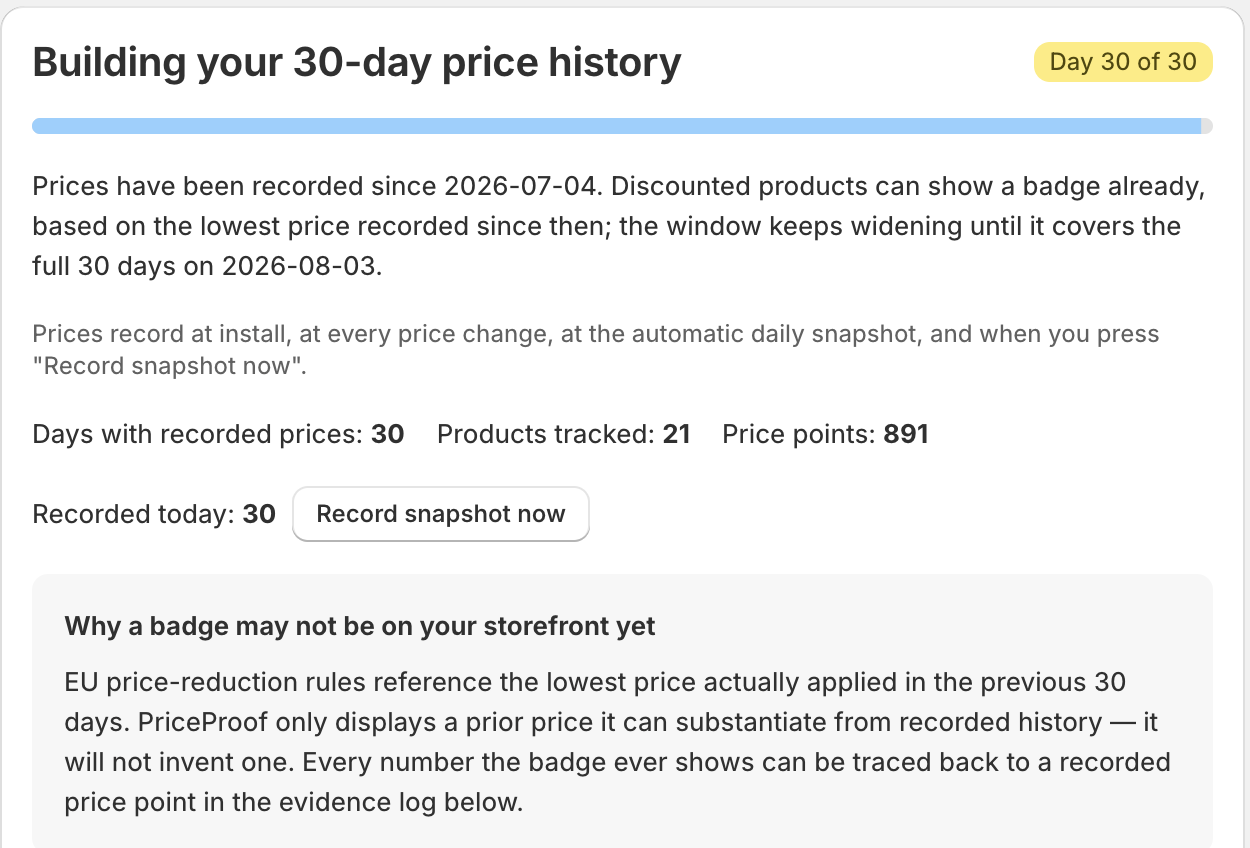
There is no manual price entry. Prices are recorded at install, at every price change (Shopify webhook on save), at a daily automatic snapshot, and via “Record snapshot now”. Discount codes and personalised prices never count — only your publicly applied selling price, which matches the law.
The badge appears only when a variant is currently discounted (compare-at above price) and history substantiates a prior price under your country rule.
5 · Show it on the storefront
On the app home, the “Show the badge on your storefront” checklist → open the theme editor, add the “EU Omnibus prior price” app block inside the product information section (just below the price), and Save.
What appears
- When ready: “Lowest price in the last 30 days: <amount>” in your shop's money format.
- While history is still building (or on a just-discounted product): an honest line — “Price history is being recorded to verify this reduction.” — so a discounted product is never blank.
- On a full-price product: nothing (expected).
During a promotion the reference stays anchored to the price before the reduction — daily sale prices don't drag the “30-day low” down to the sale price.

6 · Dashboard & mismatch flags
The app home lists your recently updated products with each variant's badge state — e.g. Collecting history, Prior price active, Discount overstated. A “% off (shown / vs prior low)” column makes the C-330/23 arithmetic visible per row.
When an advertised discount is bigger than the 30-day low supports, a banner appears — “N variant(s) advertise a bigger discount than the 30-day low supports” — with a one-click filter to the flagged variants. Removing the discount removes the flag. Reviewing and adjusting prices is your decision as the trader. (Mismatch flags are a paid-plan feature.)

7 · Plans
| Plan | What you get |
|---|---|
| Free | Everything: the badge on all products, all seven country presets, discount-mismatch flags, and the evidence CSV export. |
There is one plan and it is free — no product cap, no locked features, nothing to approve.
Price history records for your whole catalog from install.
8 · Commonly confusing (read this)
- The badge takes time to appear. History counts from today, not from when you add the block. Depending on the country rule the badge can appear from day 2 (DE/PL/NL/IT) or only after 30 days (DK/FI/ES). A promotion already running before install won't get a badge — start cleanly with your next reduction.
- It tracks every price edit, wherever you make it. Price changes arrive by Shopify webhook — admin, bulk editor, CSV import, or another app — so the recorded history never depends on which editor you use.
- Discount codes don't enter the calculation. The reference price is the lowest publicly applied price; personalized and code-based prices are never counted.
- Nothing on the storefront usually means the block isn't placed yet (the app can't see your theme), the product isn't discounted, or history is still building — not a fault.